
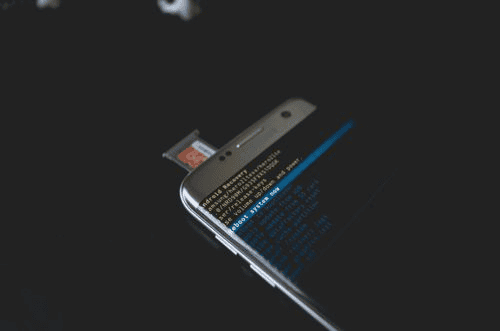
The sudden realization that you have lost critical data from your mobile phone is an incredibly stressful experience. In a single moment, years of irreplaceable family photographs, vital business contacts, time-sensitive text conversations, and crucial financial documents can seemingly vanish into thin air.
Whether this sudden disappearance happened because you accidentally hit the delete button, a software update failed halfway through, malware infected your system, or physical damage made your screen unresponsive, the panic that follows is completely universal.
When dealing with this digital emergency, your very first responses will directly dictate whether your files are safely recovered or permanently erased from existence. Navigating the immediate aftermath of mobile file deletion requires clear, calculated technical decisions rather than emotional, impulsive reactions. To safely navigate this stressful situation and secure your digital assets, it is highly recommended to consult a certified data forensic expert who specializes in complex extraction methods.
By taking a methodical approach and leveraging specialized cell phone data-loss recovery protocols, you can significantly increase the likelihood of a successful outcome and protect your personal or professional data from permanent destruction.
The Immediate Digital Lockdown: What to Do in the First Sixty Seconds
The moments immediately following the realization of data loss are the most critical. This is because modern smartphones utilize complex flash memory storage management systems that operate completely differently from traditional computer hard drives. To maximize your chances of a full recovery, you must execute a swift digital lockdown of your device to prevent the missing files from being overwritten by new system activity.
Step 1: Put the Phone in Airplane Mode Immediately
Your first and most urgent action is to swipe down or up on your screen and enable Airplane Mode. This instantly severs all wireless communication channels, including cellular data, Wi-Fi networks, and Bluetooth connections. Smartphones are constantly communicating with the outside world in the background.
They are downloading email attachments, synchronizing cloud storage accounts, updating application packages, receiving incoming text notifications, and streaming background advertisements. Each byte of incoming data requires the device to write new information to the internal storage chip.
If the operating system writes new data over the exact sectors where your deleted files are temporarily resting, those old files will be destroyed forever. Disconnecting from the network completely halts this constant influx of background data downloads.
Step 2: Cease Using All Applications
Do not open any apps to check if the data is gone elsewhere, and absolutely do not take new photos or videos to “test” if the device is working. Avoid browsing the web to search for solutions directly from the affected phone. Every single action you perform on the handset generates cache files, application logs, and temporary system data.
For example, simply opening a social media application writes dozens of temporary images and text files directly into the internal storage memory. Keep the phone completely idle to protect the integrity of the unallocated storage space where your deleted information currently resides.
Step 3: Disable Automated Cloud Backups
While cloud synchronization is usually a fantastic safety net, it can become a significant hazard immediately after a data loss event. If your files were deleted due to a software glitch or accidental manual selection, your phone might instantly synchronize this empty state with iCloud or Google Drive, effectively deleting the cloud copies as well.
Temporarily disable automatic backup intervals until you have accurately assessed the situation and verified the status of your existing cloud accounts from a completely separate computer or tablet device.
Crucial Technical Concept: The Truth About “Deleted” Files
When you delete a file on a modern smartphone, the operating system does not immediately scrub those binary pieces of data off the physical storage chip. Instead, it changes a microscopic index pointer, marking that specific storage space as “unallocated” or free.
This tells the device that it is allowed to write new information over that area whenever it needs to. Until new data is written over that exact spot, your original file remains completely intact but invisible to the standard user interface.
Common Root Causes of Mobile Data Loss
Understanding exactly how your data disappeared can help tailor the correct recovery strategy. Mobile data loss generally falls into one of three distinct categories:
- Logical Errors and Accidental Deletion:This is the most common scenario, where a user unintentionally selects the wrong folder to clear, clears application caches carelessly, or factory resets a device without saving a current backup. Logical errors also include operating system crashes during major firmware rollouts.
- Physical and Hardware Damage:This involves physical trauma to the device handset, such as severe screen breakage, internal component bending from accidental drops, exposure to extreme heat, or complete liquid submersion. In these cases, the data is still perfectly safe on the internal chip, but the interface required to access it is totally broken.
- Malware and Security Exploits:Ransomware, malicious applications downloaded from unverified third-party app stores, and targeted spyware can intentionally corrupt, encrypt, or wipe files silently in the background without explicit user authorization.
Evaluating Your Safe Recovery Options
Once your device is stable and isolated from network traffic, you can systematically explore safe, verified avenues for data retrieval. Never rush into complex deep-system modifications without evaluating these standard options first.
Checking Built-In System Trash Bins
Modern mobile operating systems have incorporated safety nets analogous to the Recycle Bin on desktop computers. Before assuming the worst, check the specific media applications for temporary repositories.
On iOS and Android devices, the native Photos app features a “Recently Deleted” or “Trash” folder that preserves deleted images and videos for thirty to sixty days. Similarly, cloud-linked note-taking applications, voice memo recorders, and file managers often hold deleted items in a temporary cache before purging them permanently.

Restoring from Historical Cloud Backups
If the data is definitively absent from the local device interface, check your historical backup logs using a separate computer. Log in to your Apple ID or Google Account via a secure web browser to see when the last automated cloud backup was completed.
If a full system backup was successfully created twelve hours before the deletion event occurred, you can safely wipe the device and restore it to that exact historical state, completely recovering your missing files. However, ensure that your current local files created since that backup are saved elsewhere before proceeding with a full restoration.
Critical Mistakes That Can Permanently Ruin Recovery Success
When individuals experience sudden data loss, panic often drives them to make impulsive decisions that inadvertently destroy any realistic chance of professional file retrieval. Avoiding these common pitfalls is paramount to safeguarding your digital evidence.
Mistake 1: Installing Commercial “One-Click” Recovery Apps on the Affected Phone
The internet is absolutely flooded with advertisements for commercial desktop and mobile applications that promise instant, effortless data recovery for a small fee. Downloading these consumer-grade programs directly onto the damaged device is a catastrophic error.
The installation process writes a massive amount of new data over your unallocated storage sectors, which frequently overwrites the exact data you are trying to rescue. Furthermore, many of these unverified apps require root access or administrative jailbreaking privileges, which completely destabilize the system and can trigger automatic factory security wipes.
Mistake 2: Continuing to Use the Phone Regularly
Treating the phone normally after data loss is a guarantee that the data will be overwritten. Sending text messages, taking casual snapshots, or streaming music continuously writes information to the flash chip. The longer the device remains operational after a deletion event, the lower the mathematical probability of a successful file extraction becomes.
Mistake 3: Attempting DIY Physical Repairs on Water-Damaged Devices
If your data loss is tied to physical water submersion, do not attempt the mythical “rice trick” or use intense heat sources like hair dryers to dry out the device. Rice creates fine starch dust that enters the phone chassis, combining with water to create a highly corrosive paste that destroys micro-components.
Applying direct heat can warp delicate internal silicon layers and melt glue seals, permanently killing the underlying storage media. Instead, keep the device powered down, remove the battery if safely possible, and consult professionals who utilize advanced chemical baths and microscopic diagnostic instruments.
When to Seek Professional Forensic Interventions
Consumer software utilities operate at a surface logical level, meaning they can only see what the operating system allows them to see. When dealing with highly secure modern smartphones, encrypted file structures, physical circuit board destruction, or legal disputes where data integrity must be legally verified, consumer options fall completely short.
This is exactly where advanced forensic cell phone data recovery methodologies become absolutely necessary to bypass software restrictions and read raw data directly from the underlying flash storage components.
Professional laboratories utilize hardware-level extraction techniques, such as JTAG testing or Chip-Off extractions, to physically interface with the memory units. If you are dealing with critical business records, litigation material, or irreplaceable personal memories, attempting random DIY methods will only reduce your chances of success.
A certified laboratory environment ensures that the original media remains completely unaltered throughout the extraction process, preserving both the files and their corresponding system metadata. If you reside in the southeastern region, seeking out a qualified data forensic expert in FL ensures your device is processed locally in a secure facility that conforms to strict chain-of-custody protocols.
Utilizing enterprise-grade cell phone forensic services allows for deep physical bit-stream imaging, uncovering deeply hidden or partially overwritten databases that normal recovery software cannot even detect.

Let the Professionals Secure and Recover Your Critical Mobile Assets Today
Do not leave the fate of your priceless family memories, vital corporate communications, or essential legal evidence to unpredictable chance or risky consumer-grade apps. At Eclipse Forensics, we understand that mobile data loss can be an incredibly overwhelming and time-sensitive emergency.
Our dedicated team of specialists provides the industry’s most advanced forensic cell phone data recovery solutions to carefully extract, analyze, and rebuild your missing or corrupted information. Whether your device is completely shattered, heavily water-damaged, or facing complex logical encryption issues, our highly credentialed data forensic expert in FL is fully prepared to handle the most difficult extraction scenarios with maximum precision.
We utilize sophisticated, court-admissible cell phone forensic services that protect data integrity while digging deep into the phone’s physical memory architecture to retrieve what others claim is lost forever.
When your digital lifestyle or business operation hangs in the balance, rely on our deep technical expertise to safely guide you through a successful cell phone data loss recovery process. Protect your digital history from permanent deletion.
Contact us today to initiate your professional file recovery consultation.